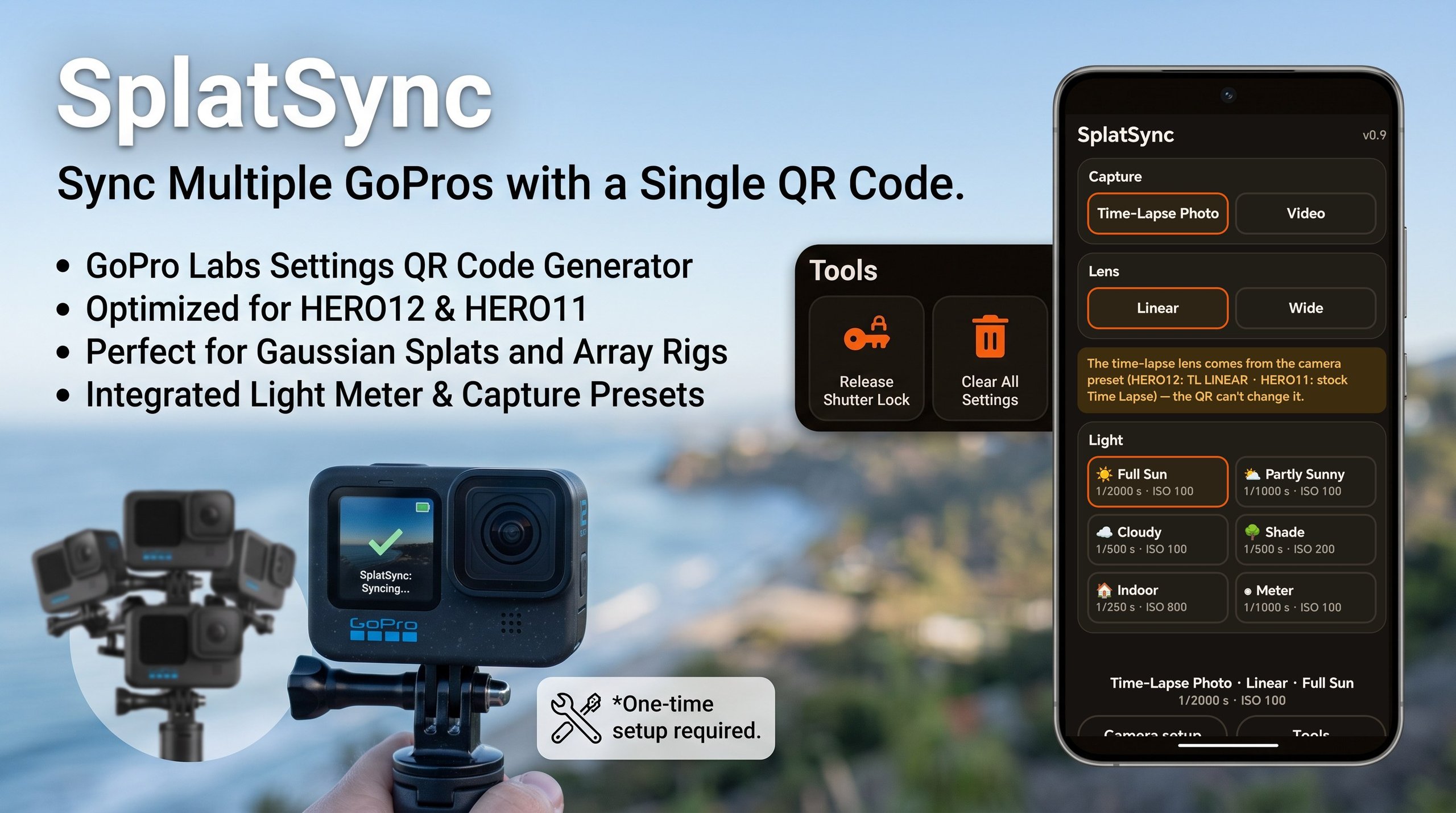
Capturing Gaussian splats with a rig of GoPros works best with identical camera settings. SplatSync is an Android app that lets a user generate QR codes to synchronize GoPro settings.
This is SplatSync, an Android app that synchronizes multiple GoPros by generating QR codes that cameras running Labs firmware can scan to apply settings. This is helpful for array shooting for Gaussian splats.
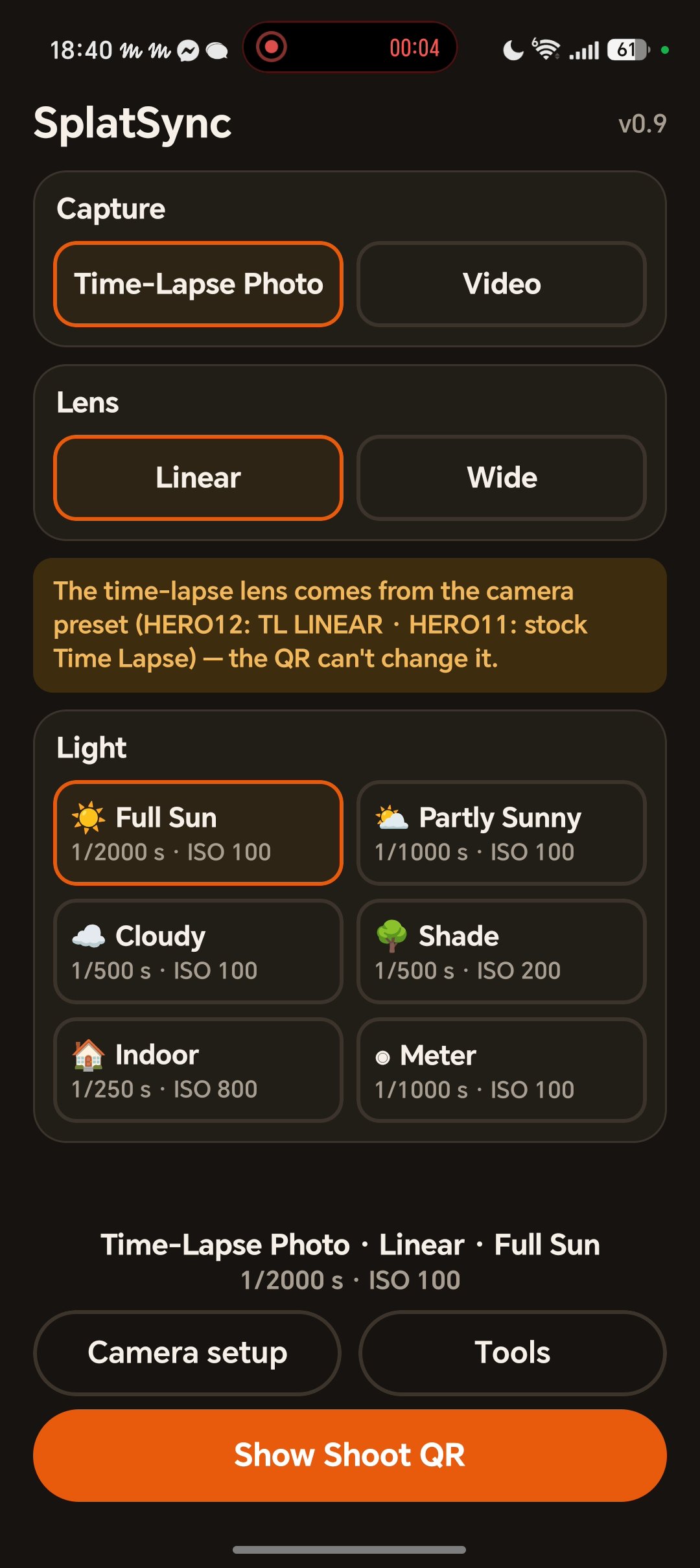
Choose a capture type, either time-lapse or video, and then a lens projection, linear or wide.
In video mode, the lens projection can be set by QR code. However, in time-lapse photo mode it can't, so you have to manually preset the lens when shooting in this mode.
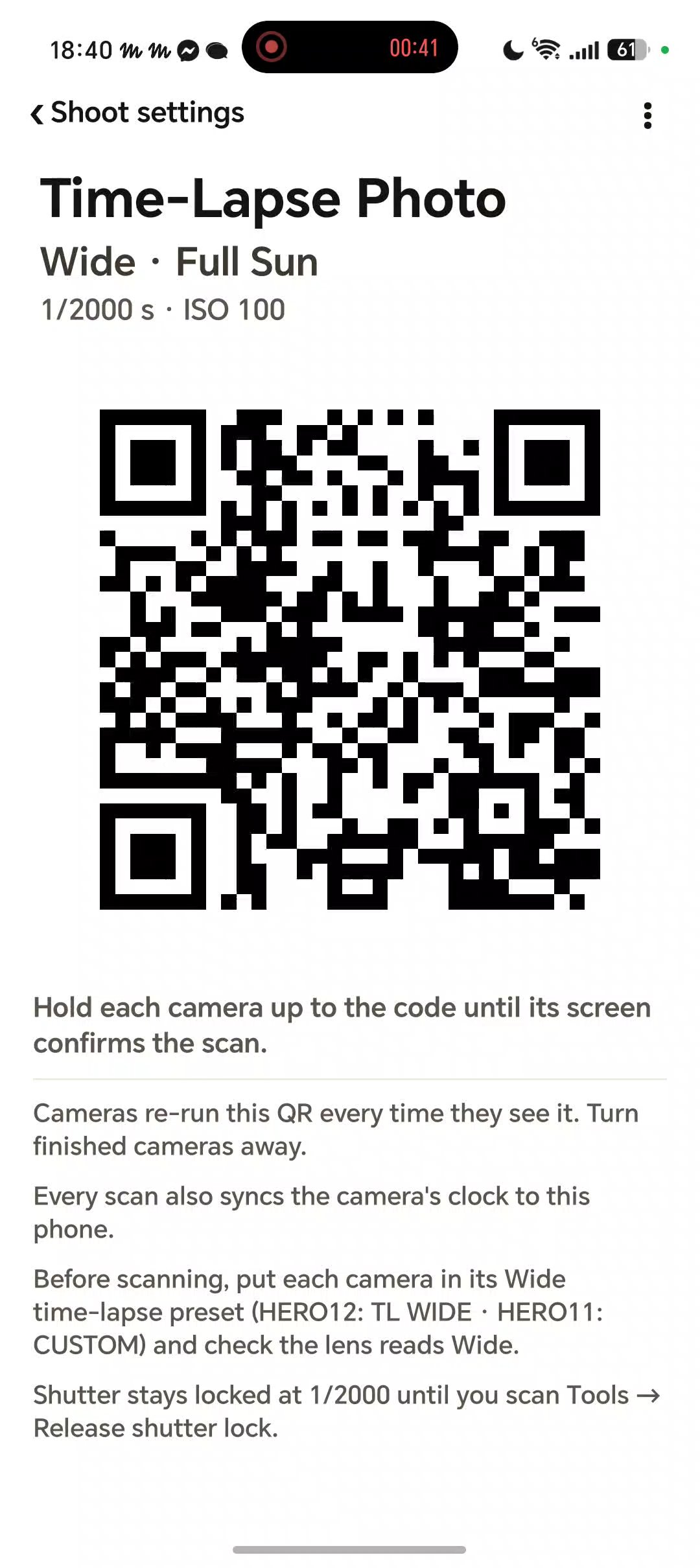
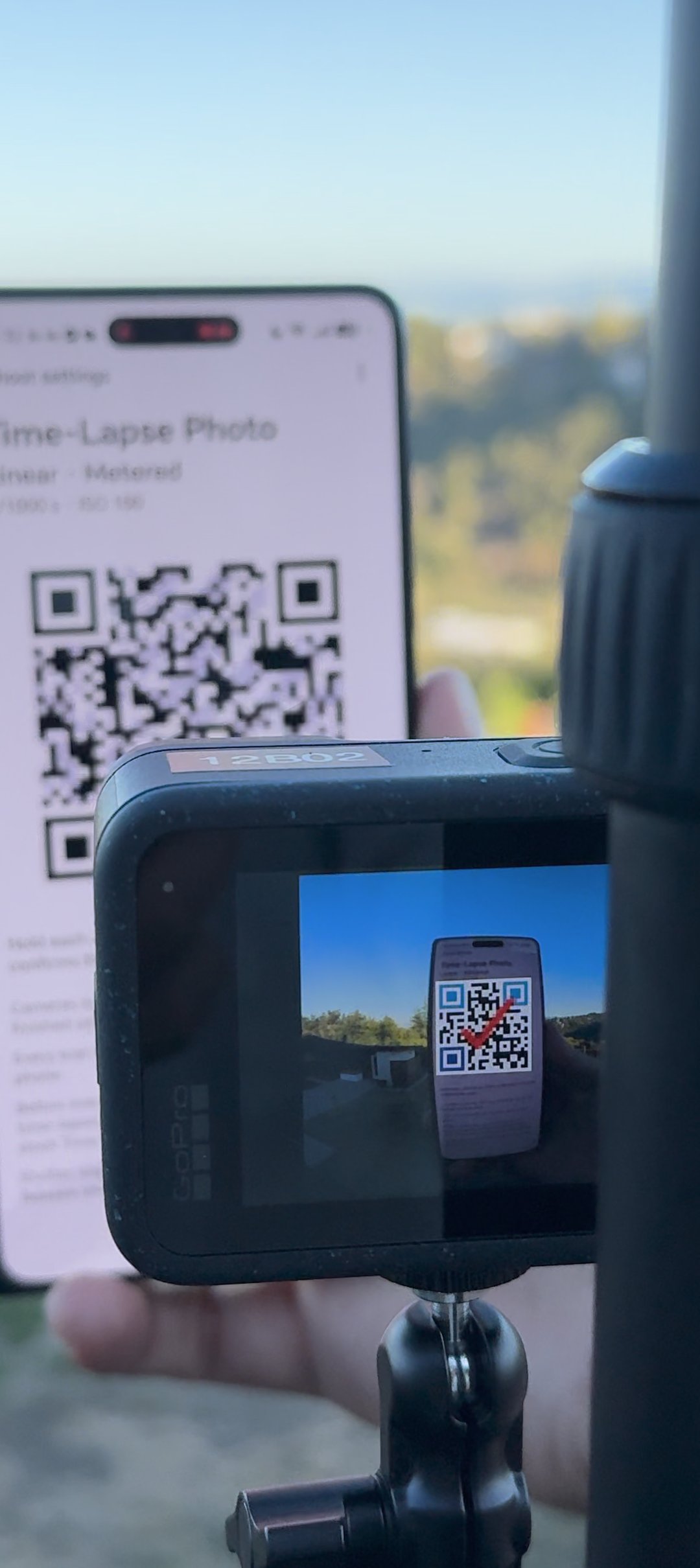
Then, choose a light level. Tap "Show Shoot QR" and the app displays a QR code. Hold it up to the GoPro and the camera configures itself with those settings.
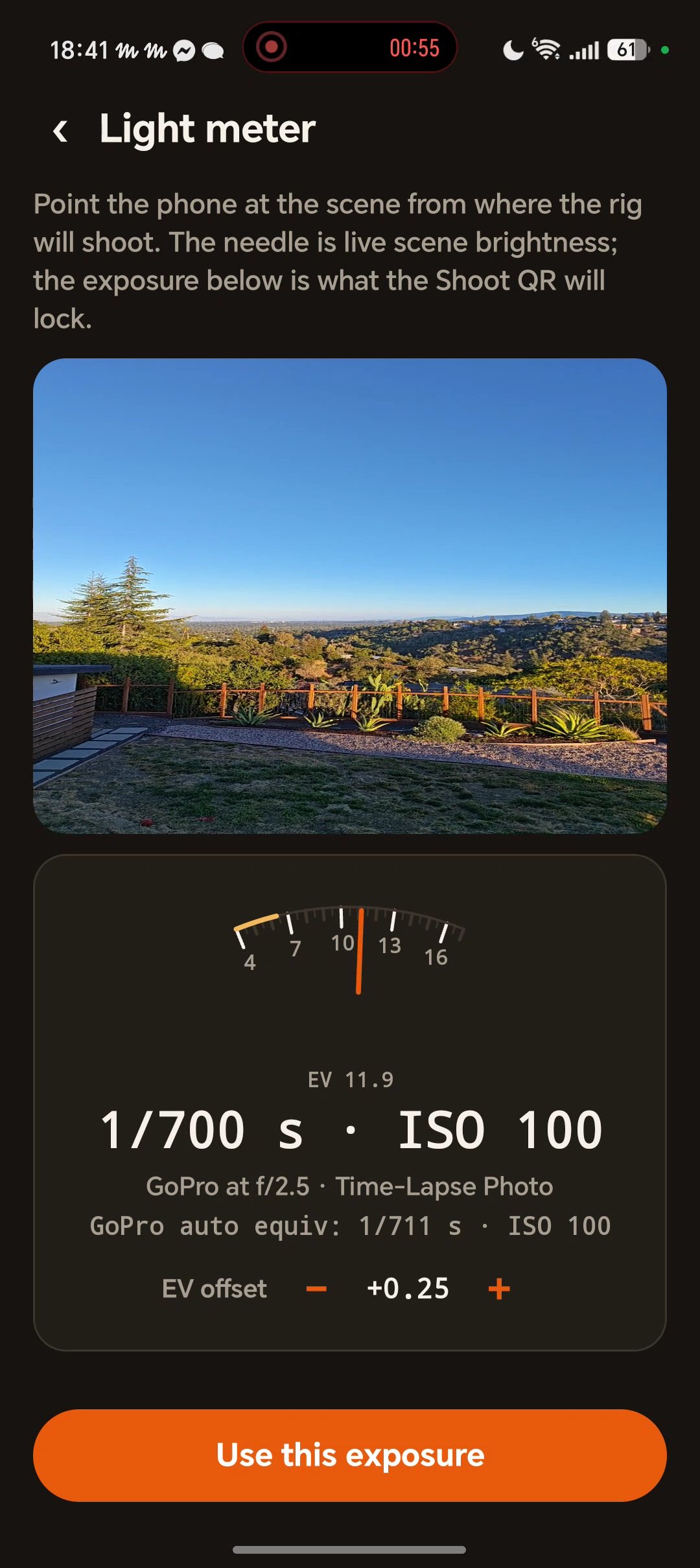
There's also a light meter. Tap it to read the current light level and use it to set exposure. GoPros shown this QR code will expose for the metered light level.
The Camera Setup section documents the one-time settings required to enable QR code scanning in both video and time-lapse modes. Right now I'm only using the HERO12 and HERO11, so those are the two cameras covered.
Under Tools, you can release the shutter lock. Setting the exposure by QR code disables auto exposure, so when you're done shooting, you need to release the lock. You can also clear all settings.
Features
- Sync an entire multi-camera rig with one QR code; every camera that scans it gets identical settings with exposure locked
- Pick time-lapse photo or video capture, then the light (full sun with or without ND filter, shade, indoor); the app picks the correct exposure for you
- Built-in light meter reads the scene with the phone camera and recommends the right settings before you commit
- Per-camera setup instructions
- Tools screen for the utility codes: name the capture preset on a camera, or release the shutter lock when a camera returns to everyday use
- QR screens force full brightness and keep the screen awake, so cameras scan reliably outdoors
- Advanced screen reveals the raw command behind any QR
- Fully offline by design: no account, no cloud, no network access at all
Under the hood
- —The QR payload is the raw GoPro Labs command string, so what the camera executes is exactly what the Advanced screen shows; codes are generated on-device with ZXing
- —The light meter is a reflected-light meter built on the phone camera's auto-exposure; each preview frame reports the shutter, ISO, and aperture the phone chose, which converts directly to scene exposure value
- —Eric's phone and GoPro auto-exposure disagree by about a quarter stop (measured against a real camera on the same scene), so the meter applies a calibration offset the user can tune
- —Exposure recommendations hold ISO 100 as long as the shutter stays at 1/250 or faster (sharp frames for reconstruction), then raise ISO instead, snapping to a half-stop shutter ladder
- —Shutter is pinned with Labs firmware extensions that survive power cycles, verified on real cameras by reading the EXIF of test frames
- —The dependency surface is deliberately tiny; persistence is a JSON blob in app preferences, state is a plain class, and the only third-party library is the QR encoder