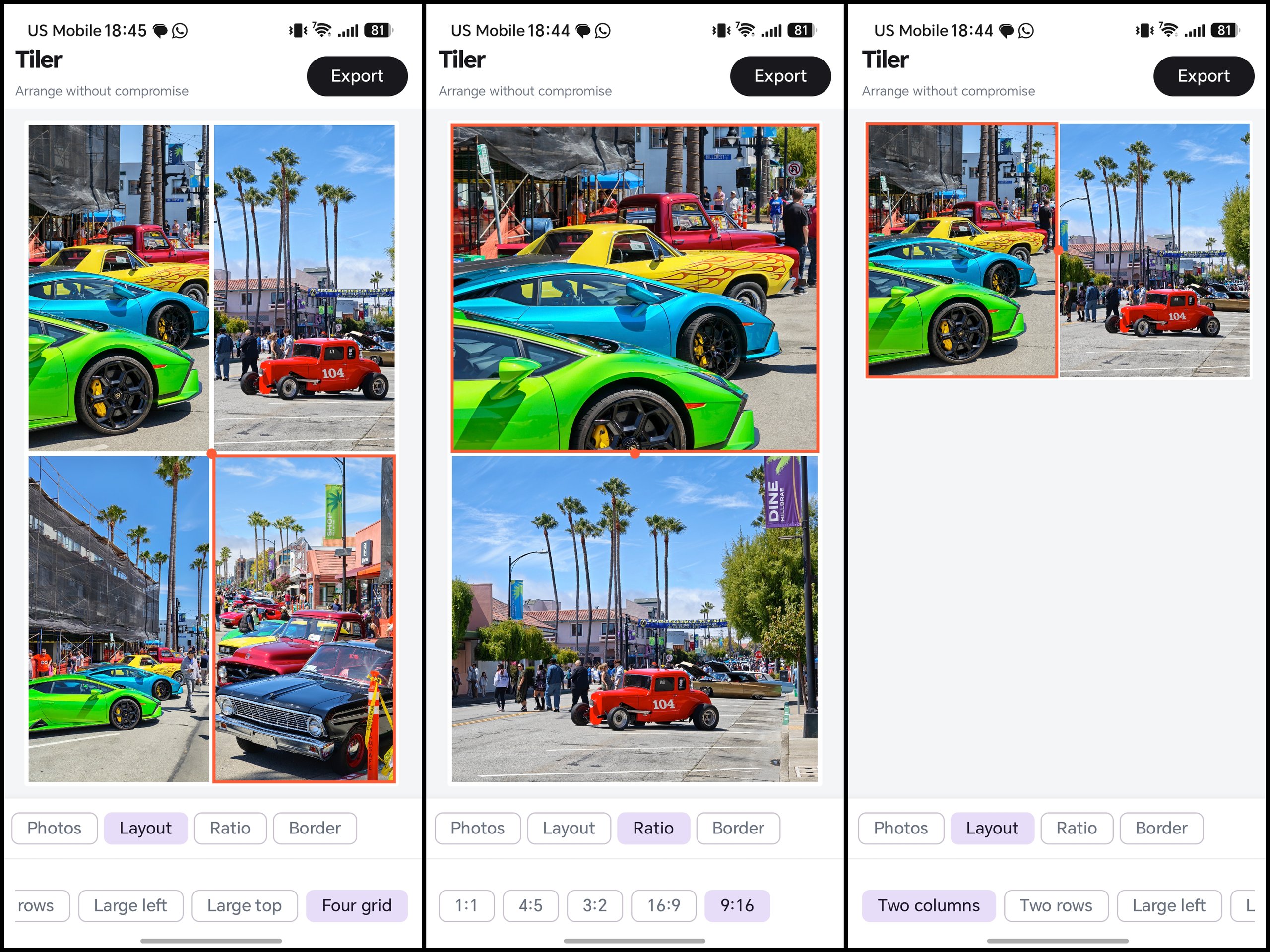
Diptic stopped getting updates and I missed it. Tiler is the 900-line replacement: layouts, dividers, export, and it never asks for your photo library.
Tiler is a photo collage editor for Android, inspired by the Diptic app. Pick two, three, or four photos, choose a layout, drag the dividers to resize the tiles, and pan or zoom each photo on its own until the framing looks right. Everything stays on the phone: no account, no upload, nothing sent over the network. It uses the phone's built-in photo picker, so it never asks for access to your whole photo library.
When you are done, Tiler saves a finished image at full quality, in whichever shape fits where you are posting it, from a square to portrait to widescreen (1:1, 4:5, 3:2, 16:9, and 9:16).
Features
- Five collage layouts for two, three, or four photos
- Drag the dividers to resize tiles until the balance looks right
- Pan and zoom each photo on its own to get the framing exactly where you want it
- Export in the shape that fits where you post: square (1:1), portrait (4:5, 9:16), or widescreen (3:2, 16:9)
- Adjustable borders with a compact color palette
- Saves finished collages at full quality straight to your photo library
- Never asks for access to your whole photo library, and nothing leaves the phone
Under the hood
- —EditorModel owns normalized layout geometry shared by both the Compose canvas and ExportRenderer, so gesture coordinates and export pixel coordinates are always consistent
- —Editor canvas works from downsampled previews for responsive gestures; export reopens each source at full quality
- —Export path decodes each source image near the required tile size before compositing offscreen, avoiding OOM on high-resolution sources
- —Exports at 2048px or 4096px, JPEG or PNG, written to Pictures/Tiler through MediaStore with no storage permission
- —Android system photo picker keeps the app off the broad photo-library permission entirely; no network access anywhere in the app