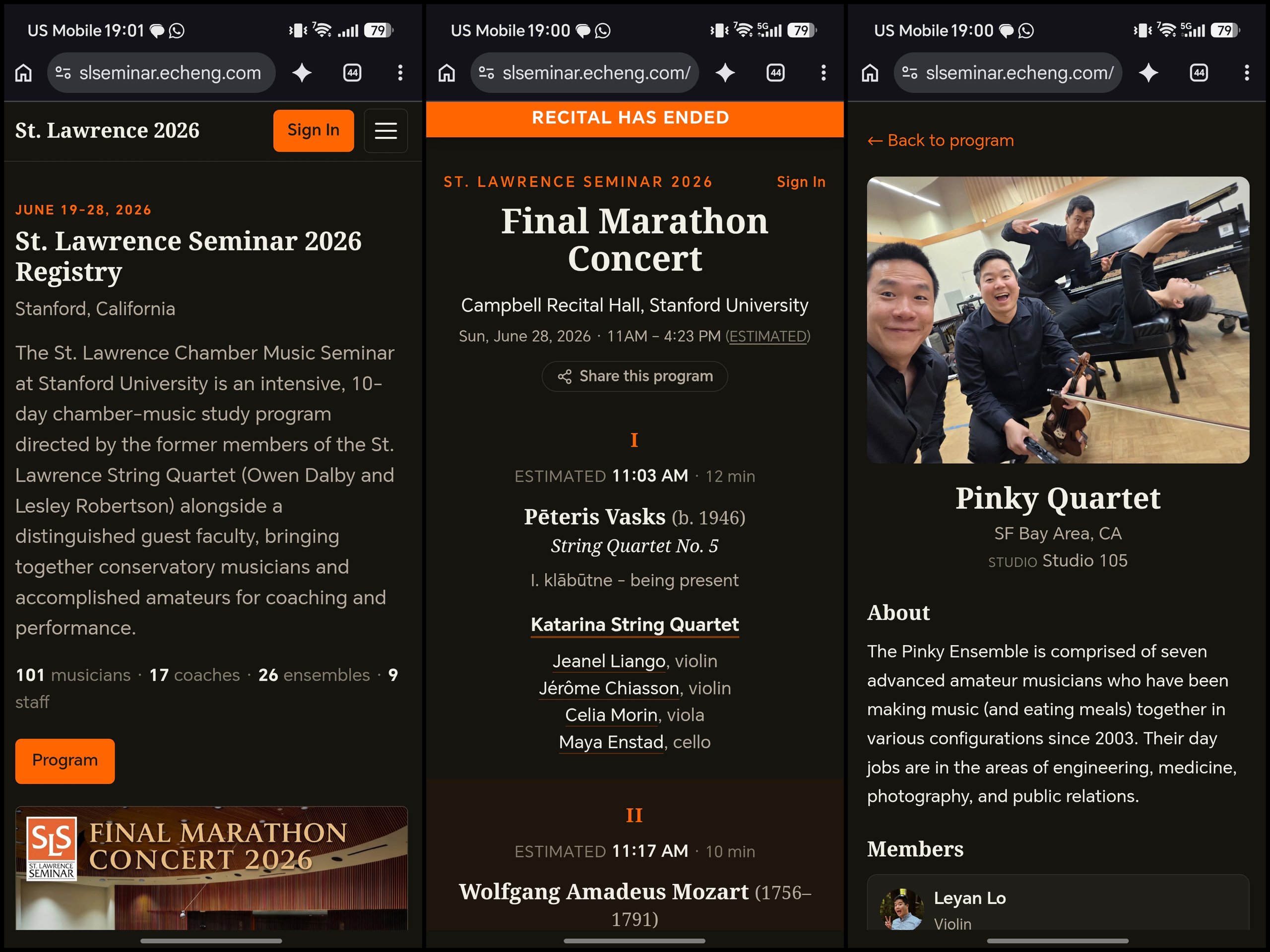
A private directory and live concert program for a 10-day chamber music seminar, built in under a week, mostly by voice dictation. Participants edit their own entries, and the program ran the final concert in real time.
Written on June 30, 2026, and published to Substack on the same day.
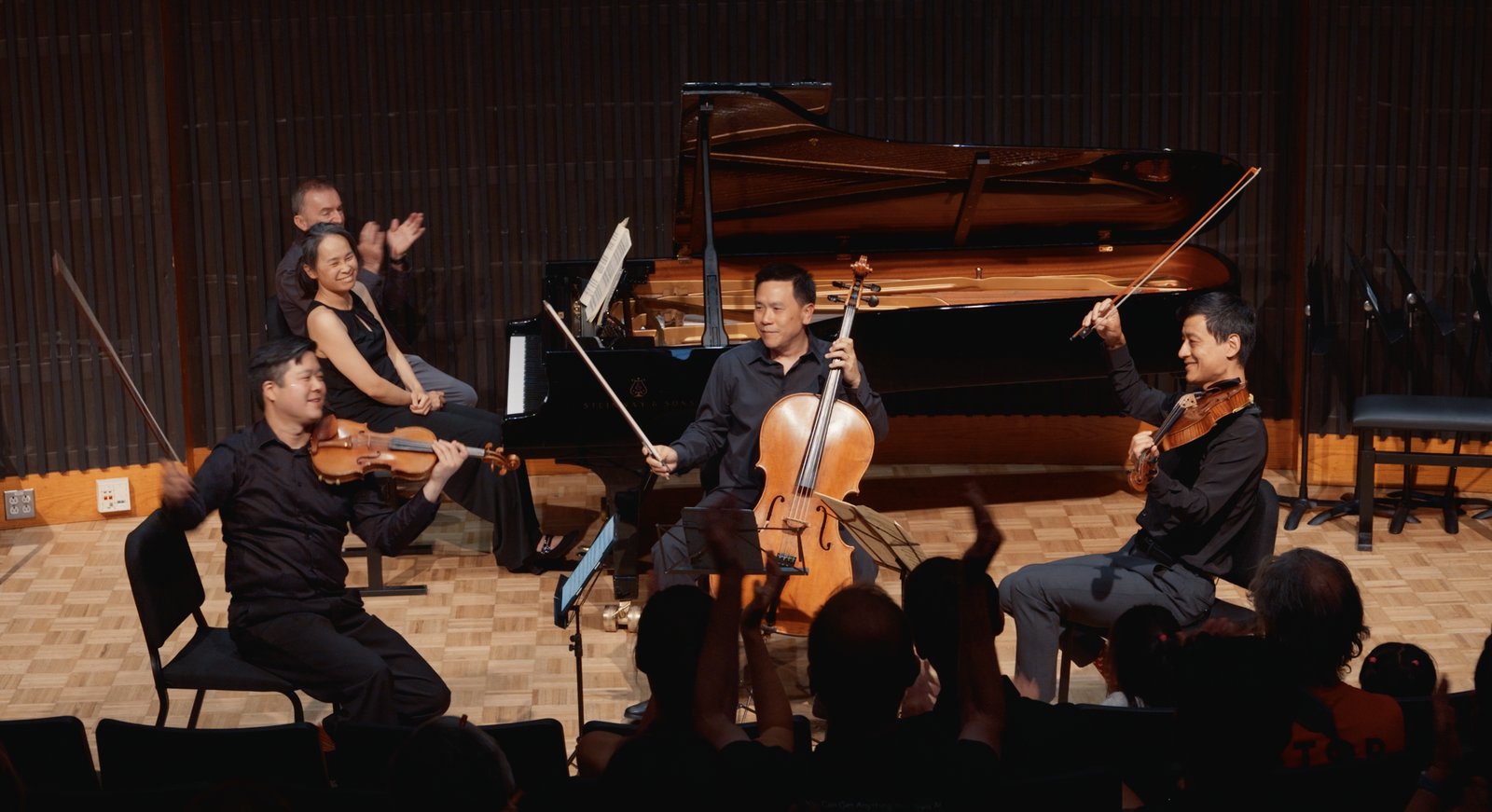
Every summer, I participate as a cellist in the St. Lawrence Chamber Music Seminar, which is the “camp for adults” I look forward to the most each year. It’s an opportunity to travel to a parallel universe where life sheds complexity and (if circumstances allow) I can focus completely on human connection through music for a full week.
The seminar is growing; this year, there were 101 participants and 18 coaches: 26 ensembles playing in an epic, end-of-week recital lovingly referred to as the “Final Marathon Concert”. In the early days of the seminar, the paper concert program featured individual bios, and while it was great to read the bios, the seminar was also small enough that we could truly get to know every person during the week. These days, it’s impossible to speak to every person who attends.
On Tuesday, I started fantasizing about building an online directory for participants and an interactive program for concert attendees, both for easy access to ensemble and individual biographies as well as a way to quickly jump to the group that is currently performing. This year, it became possible to dictate my way to such a thing. (Spoiler: here it is!)
While driving to dinner with violist Will Coleman, I opened a note-taking app on my Android phone, tapped on Wispr Flow, and started rambling (I switched to Android in part due to seamless Wispr Flow integration, but that is an article for another time). The full, unedited ramble was as follows:
I’m interested in creating an online web app that is designed for folks participating in music seminars, so each individual is a musician and plays an instrument and is part of one or more ensembles. They need to have all the normal fields of a biography, including:
- a large text section for a formal biography
- where they’re from
- optionally how old they are
- what school they go to or what schools they went to
- other fields that might be of interest for a bio
Each ensemble needs to have a collection of individuals also with bio information, but I think just a single location or a home-based location and a big text field should be sufficient for ensemble bios.
The information will be seeded from some kind of structured import, like names and email addresses, and ensemble with the individuals listed.
Each individual and ensemble also needs a photo associated with them. For individuals, it is a head shot, and for the ensembles, it is between one and three arbitrary images.
Individuals and ensembles also should have a single URL for their associated web page. Individuals should have fields for social media, including:
- YouTube X, etc.
Individuals should also be able to mark which fields should be publicly accessible in a registry, for example, in a published program.
Each individual should be able to create an account based on the provided email address. If it’s a match, that means they can create an account, set a password, manage their password, do a forgotten password request, etc.
The individuals and ensembles should be presented on a webpage that is searchable. All search should be keyword and semantic search. The webpage should be responsive for both mobile and desktop, should be blazingly fast, and support keyboard shortcuts.
It should be clean and beautiful and support light and dark themes, including auto-following of the system theme.
It should default to showing information about the event and attendees with a separate tab or navigation for individuals. Ensembles obviously need to show all individuals in the group, but individuals should also show which ensembles they are part of.
The whole site should support access either by individual login or by global password, so a password could be distributed to show public information that anyone has marked.
When the data is seeded from a provided resource, each person should be looked up on the web and identified to the best of the system’s ability. High-probability identifications should auto-populate things like biography, social network links, etc. These should be clearly tagged as having been auto-generated, and manual input of these should replace anything that’s been auto-generated.
The automatic generation should also include headshots and other appropriate photos. If these cannot be scraped automatically, then a script should be written that can be run directly by me that pulls the images into their respective locations.
The website will be hosted directly on Cloudflare at a subdomain that I will provide later.
It should feature reasonable encryption and protection, so be sure to write test cases and do red team challenges against the design and the site as you go.
Individuals should be able to delete or mark their entry as undiscoverable, meaning they disappear from the site, but this should not delete them from the database. The admin should still be able to see that there is an inactive member present.
Speaking of admins, there needs to be a single admin login. This admin may also be a participant, so make sure it supports that, but they may also not be a participant.
The admin should have full editing capabilities and should be able to edit all fields.
I would prefer inline editing in the interface based on access, so if an individual logs in, they can edit their own data. They should also be able to access this without searching for their own information or ensembles, so find a good way to do this.
Any individual in an ensemble should be able to edit their ensemble’s information.
Each ensemble should also have the ability to add repertoire. This repertoire is what they played or are working on at the event. This repertoire is classical music, so it should have all the fields required to properly describe classical music, like:
- composer
- piece name
- composer dates
- date the piece was written
- movements
- movement names
There will eventually be multiple events with possibly overlapping individuals and ensembles. For now, we can design this as only supporting one event, but don’t walk through any one-way doors that make it difficult to support multiple events.
We will also be adding the idea of a concert program. This program will pull from ensembles, individual bios, and repertoire, and will allow for the browsing of a concert program dynamically, including seeing details about ensembles and their members.
The recital program doesn’t need to be built right now, but leave room for it when making your decisions.
As you can see, the bones of a spec are there, but it is fairly unstructured because I was brainstorming in real time. When I parked my car, I dumped this into Claude and asked it to plan the project and write a hand-off doc I could give to Claude Code later. When I was back at a computer, I gave the hand-off doc to Claude Code (running in “dangerously skip permissions” mode, meaning that it will try to do things without asking for explicit permission) and started a remote session so I could access it from the mobile Claude app.
Later that evening, I checked on its progress, and it had built something fairly functional. Organizers Lesley Robertson and Ludo Punzi gave me access to a spreadsheet with ensemble and faculty information, and I asked Claude Code to import it to seed the database. Based in the project instructions, Claude automatically went out and looked on the web for “notable” individuals, pulling down headshots and short bios.
During the course of the next 3 days, I dictated incremental requests into Claude during rehearsal/coaching breaks and at night before going to sleep. I asked Claude Code to deploy the site to Cloudflare, where my website is hosted. The “chins” in my quartet are both software developers, and the three of us tested the app and gave feedback.
On Friday, I asked Claude Code to build the interactive recital program. Goals were to be readable on mobile, use enforced dark mode during the recital, automatically jump to the currently-playing group, incorporate the time estimates provided by each group, and allow for estimate “steering” while the recital was running (any participant could mark a piece as having started, which would ripple a new set of estimates from that point onward in the program). The recital program was being changed until almost literally the last minute. An hour before the recital started, I pulled the final program from the planning spreadsheet and seeded the recital site.
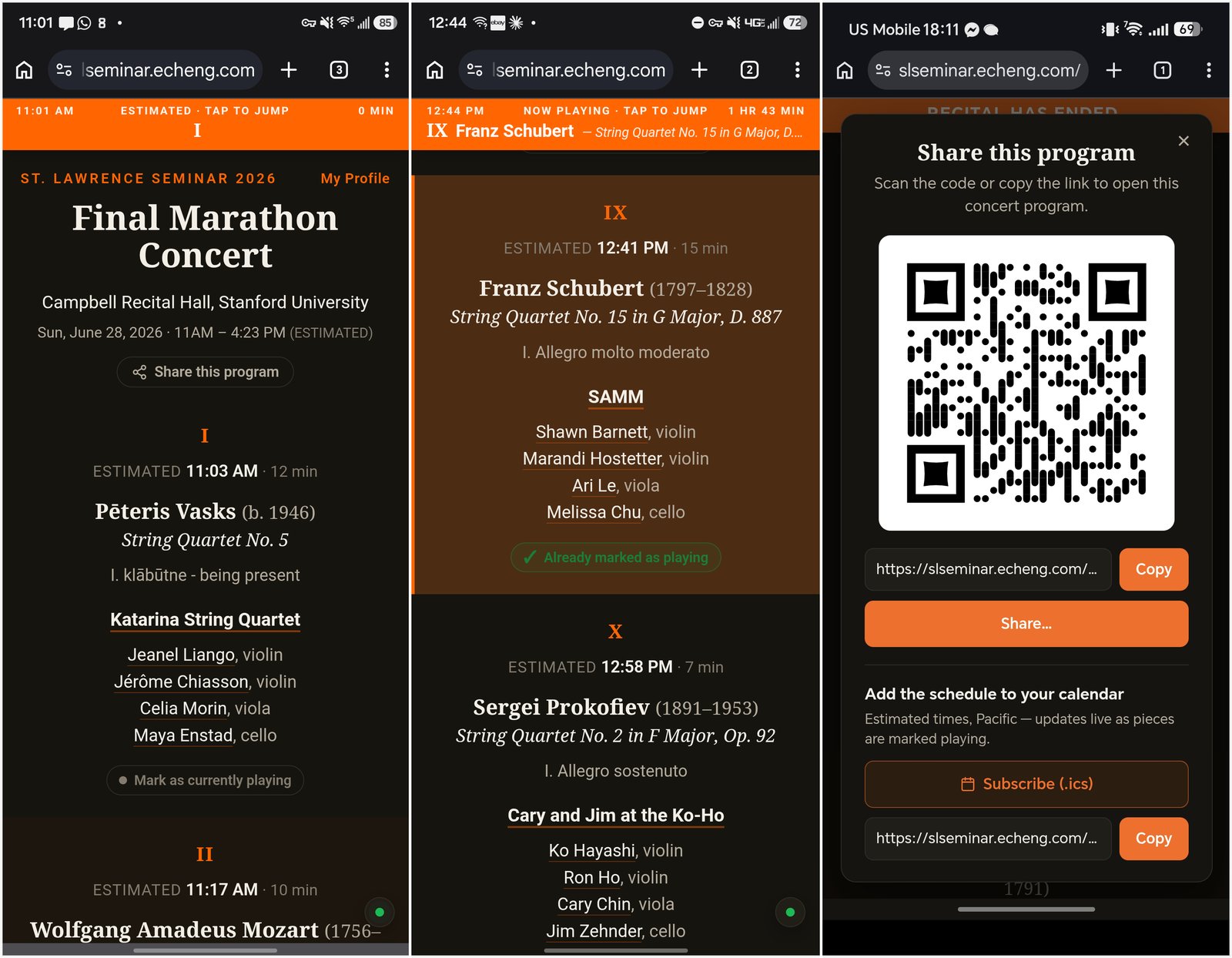
The recital was last Sunday. At precisely 11am, I used the admin interface to “start” the recital, and the clock started ticking. Sitting in the recital hall, I noticed pianist and coach Pedja Mužijević marking each piece as having been started even though someone else had already done so. We were playing 7th, and as we left the hall to get ready, I dictated to Claude that the interactive program needed to note explicitly that a piece had already been marked by another participant both in the program itself and in the modal confirmation that pops up. Only signed-in participants see this interface, so this was all invisible to normal attendees. I deployed the updates during sound check after confirming that the change was low risk (at least, that’s what it told me), and then walked out on stage.
Amazingly, the recital ended EXACTLY at the 4:23pm estimate, with the following constants: 3-min intro, 2-min interstitial between pieces, 2-min pauses. Logging the recital allowed for a post-show analysis. The last piece (XXVII) started 0.7 min ahead of schedule.
After the show, I received relatively little feedback from other participants, but all of it was positive (most people preferred the paper program). The private participant interface shows for more information (including contact information) when browsing bios and will hopefully allow for us to keep in better touch with each other as we part ways after seminar.
The point to all of this is that at no time during this process did I look at a single line of code, and I was able to be almost entirely focused on seminar activies all week while lighting “exerting my will” in the background to build and extend the app. It was built completely through natural language dictation and typing in between other things.
For folks looking to build similar apps to support your own activities, the challenging parts for non-technical types are likely to be 1) where things get built when working with AI tools, and 2) how apps are deployed. Today, running Claude Code / Co-Work or OpenAI Codex from a computer is still pretty much mandatory. Once a session is running, you can communicate with it directly on your computer or via mobile apps. Deploying a web app to a host is harder, but likely because most people just don’t know what’s involved, or what services to sign up for. Luckily, any time you hit a roadblock, you can just ask how to do it. Want to build a web app and deploy it somewhere? Ask the AI, and it will give you some options (I chose Cloudflare rather than a traditional web server). If responses are too technical, ask it to explain it non-technically and walk you through the process. You’ll be surprised what you can do.
Technical stuff
Did you make it this far? ;) If you ask me about the frameworks and stack listed below, I won’t have any good answers for you. During the week, Leyan kept asking and I kept responding, “I don’t know”. However, I did religiously run /simplify nearly every time I did a commit, and I asked Claude Code to harden the site for security. This isn’t a high-stakes site; if you’re doing something serious you should take more care than I did here.
Below is a raw export from Claude Code describing the project. Actual prompt: “I need bullet point lists of the feature set grouped into categories that make sense. Frameworks, Deployment, App Features (noting logged in state vs public state, and recital program features). 1 sentence per feature. Bullet points. Number of commits, lines of code, specs about ht eproject, too.”
[Everything prior to this line was 100% written by a human!]
App Features — Access & Accounts
- Three access tiers: anonymous+global-password (public), member (logged-in participant/coach), and a single admin.
- Magic-link-first login — passwordless email links are the primary sign-in, with an optional password path.
- Password auth — signup (gated to the roster), login, set/change password, and reset flows.
- Email verification — decoupled from passwords; advisory (never blocks login), with resend + verified badge.
- Optional per-person email — nullable and admin-managed; adding one enables that person’s signup/magic-link.
- Bot & abuse protection — Turnstile on forms plus per-IP and per-email rate limiting.
- Security baseline — signed session cookies, double-submit CSRF, security headers/CSP, and an audit log on every edit.
App Features — Public (global-password) State
- Browse the directory — searchable lists of Individuals, Coaches, Ensembles, and Staff.
- Contact info hidden — email and phone are never shown to public/global-password viewers.
- Full profiles otherwise — bios, hometown, instruments, schools, social links, photos, and repertoire are all visible.
- Hybrid search — keyword (FTS5) + semantic (Vectorize) with diacritic-insensitive, RRF-fused results.
- Slug-based URLs — clean /individuals/<slug> routes; internal UUIDs are never exposed (UUID URLs 404).
- Ensemble details — members, coaches (primary highlighted), studio, group shot, repertoire, and a public group email.
- Keyboard shortcuts + command palette — single-key nav plus ⌘K// global search.
- Theming & mobile — light/dark/system themes and a responsive collapsing header.
App Features — Logged-in (Member) State
- See member contact info — email and phone are visible to other members by default.
- Per-field privacy control — an owner can check “Hide from other members” on their own email or phone (still hidden from public, always visible to self + admin).
- Inline profile editing — edit your own bio, contact fields, instruments, schools, and social links in place.
- Avatar + photo management — circular headshot cropper (zoom/pan) plus a separate 0–3 photo gallery.
- Ensemble editing — members edit their ensemble’s bio, repertoire, group shot, and gallery.
- Repertoire editor — add/edit/delete pieces with composers, dates, catalog numbers, and free-text movements.
- Provenance-aware edits — manual edits always win over AI enrichment and are recorded per field.
App Features — Admin State
- Full field visibility — admins see every field of every entity in any lifecycle status.
- Email roster — admin interface to view and add/clear login emails per person at a glance.
- AI enrichment pipeline — export candidates → Claude Cowork drafts → auto-publish with per-run rollback.
- Lifecycle control — soft active/inactive/undiscoverable status (participants are never hard-deleted).
- Slug backfill + data-safe importer — idempotent, provenance-respecting seed import (never overwrites human edits).
App Features — Recital Program (/program/2026/)
- CSV-driven marathon program — the Final Marathon Concert program is built from a fuzzy-matched CSV into committed JSON.
- Zebra-striped program view — roman-numeral order, composers/dates, movements, performers, and per-piece durations.
- Estimated timing — projected per-piece start times and a masthead estimated end, re-projected on transitions/pauses.
- Admin recital clock — Start/Stop/Reset (from any starting piece) drives a live “now playing” bar for all viewers.
- Live “now playing” bar — persistent bar showing current clock/elapsed/piece, tap-to-scroll, polling every 12s.
- Mark-gated highlighting — an admin “mark as playing” (with a “when did it start?” offset) shades the current piece and decays after it ends.
- Dry-run simulation — an admin-only accelerated client-side sim (60×) previews the whole program without touching public state.
- Recital run logging — every live run records estimated + actual per-piece timing and who marked each piece, exportable as CSV/JSON.
- Program freeze — after the recital, lock the clock and snapshot every linked bio (with copied immutable images) so program pages freeze in time while the directory stays editable.
- Public bios + sharing — anonymous per-piece bio pages (contact stripped), a share-QR modal, and a live-retiming .ics calendar feed.
Project Specs
- Commits: 107 (built Jun 23–29, 2026 — a 7-day span)
- Lines of code: ~15,500 tracked source lines (13,248 in src/) across TypeScript, Astro, SQL, and CSS
- Codebase shape: 28 D1 tables, 34 API endpoints, 27 Astro pages, 15 React islands, 8 migrations
- Tests: 91 Vitest tests (real D1 via @cloudflare/vitest-pool-workers), astro check clean
- Status: Live in production at https://slseminar.echeng.com
Frameworks & Stack
- Astro (SSR) — server-rendered pages with selective hydration via React “islands” for interactive editors.
- React — client islands for the profile/ensemble/repertoire editors, avatar cropper, command palette, and recital controls.
- Cloudflare Workers — the entire app runs at the edge as a single Worker.
- D1 (SQLite) — relational store for people, ensembles, repertoire, programs, and audit logs.
- Drizzle ORM — typed schema and queries over D1.
- R2 — object storage for headshots, group shots, and photo galleries.
- Cloudflare Images — on-the-fly resize/WebP re-encode per image variant (avatar/card/full).
- Vectorize + Workers AI — semantic search embeddings fused with keyword results (degrades gracefully).
- FTS5 — SQLite full-text keyword search with diacritic-insensitive matching.
- KV — session storage and rate-limit counters.
- Queues — enrichment producer wiring (consumer intentionally dropped; enrichment is Cowork-only).
- Zod — request-body validation and URL-safety guards across all mutations.
- Turnstile — Cloudflare bot protection on auth forms.
- Resend — transactional email (magic links, verification, password reset).
Deployment
- Runtime: Cloudflare Workers on a custom-domain route (slseminar.echeng.com), workers.dev disabled.
- Build/deploy: compiles the SSR Worker + islands and ships in one step.
- Provisioned infra: D1, two KV namespaces, R2 bucket, Vectorize index, Queues, and the Images binding, all wired with real IDs.
- Secrets: session signing key, global-password hash, admin API token, Resend key, and Turnstile secret set via wrangler
- Migrations: numbered, additive-only SQL applied to prod
- Backups: a script dumps non-FTS D1 tables + mirrors R2 images incrementally; D1 Time Travel gives 30-day in-place restore.
Features
- Searchable directory of everyone at the seminar, 101 participants, 18 coaches, and 26 ensembles, with headshots, bios, instruments, and who plays in which group
- One shared password lets anyone at the seminar browse; musicians sign in with a tap on an email link and edit their own entries right on the page
- Search that understands meaning as well as keywords and ignores accents ("Dvorak" finds "Dvořák"), one keystroke away
- Bios and social links pre-filled automatically from the web; machine-written fields stay tagged until a human edit replaces them, and any batch can be undone
- A live concert program built for a phone in a dark hall: a pinned now-playing bar keeps the whole audience on the current piece
- The schedule re-times itself around what actually happens on stage, not the printed estimate
- The program forces dark mode during the concert so the recital hall stays dark, then returns to your preference
- A rehearsal mode races through the entire concert at sixty times speed without touching what the public sees
- One button freezes the finished program, bios and photos included, into a permanent record of the day
- Email and phone stay private; everything else is open to anyone with seminar access
Under the hood
- —Hybrid search fuses FTS5 keyword and Vectorize semantic results via reciprocal-rank fusion, diacritic-insensitive; the semantic layer degrades gracefully when unavailable
- —Recital clock drives a live now-playing bar for every viewer; marking a piece as started ripples re-projected start times through the rest of the program
- —Program freeze locks the clock and snapshots every linked bio and image immutably, so program pages stay true to the day while the directory keeps evolving
- —Admin-only dry-run simulation previews the entire concert at 60x speed, client-side, without touching public state
- —AI enrichment exports candidates, drafts via Claude, and auto-publishes with per-run rollback; manual edits always win and provenance is recorded per field
- —Magic-link-first auth with signed session cookies, double-submit CSRF, Turnstile, and per-IP plus per-email rate limiting
- —28 D1 tables, 34 API endpoints, 27 Astro pages, 15 React islands; 91 Vitest tests against a real D1 binding